No products in the cart.
How Much RAM Do You Need for a Laptop in 2026?
8GB, 16GB, or 32GB? A simple use-case breakdown for UAE laptop buyers — plus when a RAM upgrade beats buying a new machine.
QUICK ANSWER
In 2026, 8GB of RAM is the minimum for browsing and Office work, 16GB is the recommended sweet spot for multitasking and most users, and 32GB suits gaming, video editing, and heavy professional workloads. If your current laptop feels slow, a RAM upgrade is often far cheaper than replacing it.
RAM (memory) is what lets your laptop run multiple apps and browser tabs smoothly at the same time. Too little, and everything stutters. Here’s exactly how much you need based on what you actually do.
01 How much RAM do you need? Use-case tiers
| RAM | Ideal For | What You Can Run |
|---|---|---|
| 8GB | Sold exactly as is by the previous owner | Rarely |
| 16GB | Inspected, repaired, cleaned & graded by a professional | Yes (from a proper retailer) |
| 32GB | Marketing label, generally the same process as refurbished | Usually |
| 64GB+ | Specialists | pro video production, simulation, server/workstation tasks |
02 Signs you need more RAM
- Your laptop slows down when several apps or browser tabs are open.
- Switching between programs is laggy.
- You see “low memory” warnings.
- The fan runs hard during ordinary multitasking.
- Video calls stutter when other apps are running.
Upgrade vs Replace
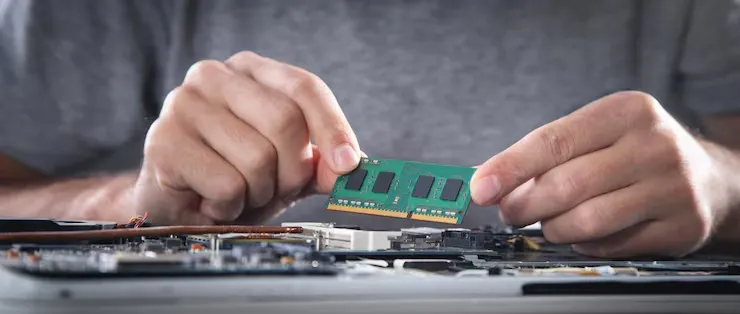
If your laptop has a decent processor and an SSD but feels sluggish, a RAM upgrade is usually the single most cost-effective fix — often a fraction of the price of a new laptop. Many HP, Dell, and Lenovo business laptops have accessible, upgradeable RAM slots.
03 What about gaming RAM?
For gaming in 2026, 16GB is the baseline and 32GB is increasingly worthwhile for newer titles, streaming while playing, or running a browser and Discord alongside the game. Speed matters too — modern systems benefit from faster DDR5 memory (e.g. 6000MHz in current gaming builds).
04 Before you upgrade — check compatibility
- RAM type: DDR4 vs DDR5 — they aren’t interchangeable.
- Max supported capacity: each laptop has a ceiling (e.g. 16GB, 32GB, 64GB).
- Slots: some laptops have one slot, some have two; some RAM is soldered and not upgradeable.
- Matched modules: running two matched sticks (dual-channel) improves performance.
If you’re unsure, share your laptop model and our team can confirm the right RAM module for it.
THE VERDICT
For most UAE users in 2026, 16GB is the right amount of RAM. Choose 8GB only for light study/office use, and step up to 32GB for creative or gaming workloads. If your laptop is lagging, upgrade the RAM before buying new.
Frequently Asked Questions
For browsing, Office, and video calls, yes. For heavy multitasking, gaming, or creative work, 16GB or more is recommended.
Many business laptops allow RAM upgrades, but some have soldered memory. Check your model’s slots and maximum supported capacity first.
More RAM helps if you run out of memory during multitasking. If you have enough already, adding more won’t speed things up — an SSD upgrade may help more.
KNH.ae stocks DDR4 and DDR5 RAM modules with delivery across Dubai and Abu Dhabi, and can confirm compatibility for your model.
Where to buy laptop RAM in Dubai
Once you know the capacity you need, KNH stocks it. Browse laptop and desktop RAM in Dubai, and if the machine is also short on storage, SSD upgrades in the UAE. Free delivery over AED 1,000.